AI
SQLite as a Graph Database: Cypher Queries and Embedded Knowledge Graphs
A source audit of SQLite-Graph, evaluating Cypher query compilation, relational table layout trade-offs, and embedded Graph RAG memory architectures.
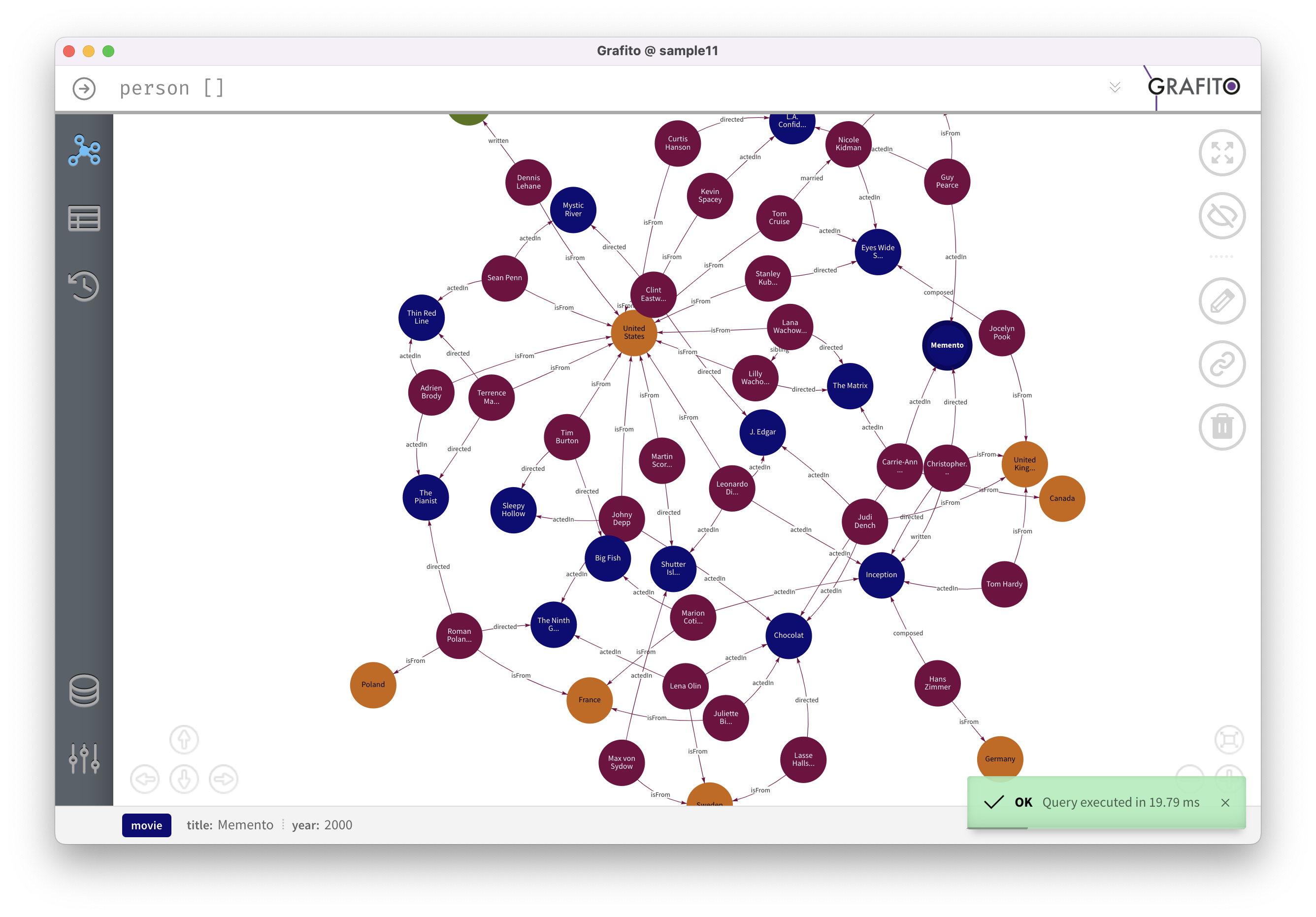
Why Did Relational SQL Engines Struggle with Multi-Hop Graph Traversals?
Relational database management systems (RDBMS) were architected around Edgar F. Codd’s relational algebra: data is organized into rectangular tables of tuples, and relationships are modeled indirectly through primary-foreign key pairings. While this structure guarantees schema rigidity and ACID transactional guarantees, it exhibits severe computational inefficiencies when querying deeply interconnected networks.
In graph-heavy domains—such as fraud ring detection, social relationship mapping, and Graph-Augmented Generation (Graph RAG)—the primary workload consists of traversing paths across entities ($A \to B \to C \to D$). In standard SQL, querying paths beyond two hops requires cascading JOIN operations:
1
2
3
4
5
6
7
8
9
10
-- Querying a 3-hop relationship in standard SQL
SELECT fof.name, fof.id
FROM Person p
JOIN Friends e1 ON p.id = e1.source_id
JOIN Person f1 ON e1.target_id = f1.id
JOIN Friends e2 ON f1.id = e2.source_id
JOIN Person f2 ON e2.target_id = f2.id
JOIN Friends e3 ON f2.id = e3.source_id
JOIN Person fof ON e3.target_id = fof.id
WHERE p.name = 'Alice';
flowchart TD
    subgraph RelationalJoinDegradation["Relational Cascading JOINs (Quadratic Explosion)"]
        T1["Person Table"] -->|Scan & Hash Join| J1["Friends Junction Table"]
        J1 -->|Index Lookup| T2["Person Table (Hop 1)"]
        T2 -->|Scan & Hash Join| J2["Friends Junction Table"]
        J2 -->|Index Lookup| T3["Person Table (Hop 2)"]
        T3 -->|Scan & Hash Join| J3["Friends Junction Table"]
        J3 -->|Final Filter| T4["Person Table (Hop 3)"]
    end

    subgraph CypherPatternMatching["Cypher Graph Traversal (Index-Free Adjacency / Pointer Chasing)"]
        Pattern["MATCH (p:Person {name: 'Alice'})-[:FRIENDS*3]->(fof:Person)"]
        Pattern --> GraphEngine["Graph Traversal Engine"]
        GraphEngine --> Nodes["Direct Node Pointer Traversal: O(k * degree)"]
    end
Every additional hop in SQL requires scanning B-tree indexes, materializing intermediate Cartesian joins, and filtering results. As the hop depth $k$ increases, query planning becomes intractable, and recursive Common Table Expressions (WITH RECURSIVE) become unreadable and notoriously difficult to optimize.
Conversely, dedicated graph databases (like Neo4j) popularized Cypher, an intuitive declarative query language using ASCII-art pattern matching:
1
2
MATCH (p:Person {name: 'Alice'})-[:FRIENDS*3]->(fof:Person)
RETURN fof.name, fof.id
However, deploying standalone graph servers introduces heavy operational overhead: high memory footprints (often requiring gigabytes of dedicated JVM heap), complex cluster maintenance, and separate network round-trips. This created a demand for an embedded, zero-maintenance solution: SQLite-Graph.
Architectural Breakdown: How SQLite-Graph Extends SQLite
SQLite is the most widely deployed database engine on earth, celebrated for its single-file storage format, zero-configuration architecture, and in-process execution speed. SQLite-Graph is an open-source C extension that bridges SQLite with property graph data models and Cypher query execution.
flowchart TD
    subgraph ClientLayer["Application Ingestion"]
        CypherQuery["Cypher Query: MATCH (a:User)-[:AUTHORED]->(b:Post) RETURN a, b"]
        SQLQuery["SQL Query: SELECT graph_query('...')"]
    end

    subgraph SQLiteGraphExtension["SQLite-Graph Engine (C Extension)"]
        Parser["Cypher AST Parser (Lexer & Grammar Engine)"]
        Planner["Graph Query Planner (Translates Pattern to SQLite Primitives)"]
        VTab["SQLite Virtual Table Interface (sqlite3_vtab)"]
        JSON1["SQLite JSON1 Subsystem (Dynamic Property Store)"]
    end

    subgraph SQLiteStorage["Underlying B-Tree SQLite File (.db)"]
        NodeTable["_graph_nodes (id, label, properties_json)"]
        EdgeTable["_graph_edges (id, source_id, target_id, type, properties_json)"]
        EdgeIndex["Covering Indexes: (source_id, type) & (target_id, type)"]
    end

    ClientLayer --> Parser
    Parser --> Planner
    Planner --> VTab
    VTab --> NodeTable & EdgeTable
    JSON1 -.-> NodeTable & EdgeTable
1. The Relational Schema Mapping
To maintain 100% compatibility with standard SQLite tooling and backup mechanisms, SQLite-Graph stores graph entities inside structured relational tables:
_graph_nodes: Stores unique node identifiers, entity labels, and flexible attribute payloads:1 2 3 4 5 6 7
CREATE TABLE _graph_nodes ( id INTEGER PRIMARY KEY AUTOINCREMENT, label TEXT NOT NULL, properties TEXT, -- Stored as compact JSONB / JSON1 text created_at TIMESTAMP DEFAULT CURRENT_TIMESTAMP ); CREATE INDEX idx_graph_nodes_label ON _graph_nodes(label);
_graph_edges: Stores directed relationships between entities, including relationship types and edge attributes:1 2 3 4 5 6 7 8 9 10
CREATE TABLE _graph_edges ( id INTEGER PRIMARY KEY AUTOINCREMENT, source_id INTEGER NOT NULL REFERENCES _graph_nodes(id) ON DELETE CASCADE, target_id INTEGER NOT NULL REFERENCES _graph_nodes(id) ON DELETE CASCADE, type TEXT NOT NULL, properties TEXT, created_at TIMESTAMP DEFAULT CURRENT_TIMESTAMP ); CREATE INDEX idx_graph_edges_forward ON _graph_edges(source_id, type, target_id); CREATE INDEX idx_graph_edges_reverse ON _graph_edges(target_id, type, source_id);
By maintaining covering composite indexes on both forward (source_id, type, target_id) and reverse (target_id, type, source_id) paths, the engine accelerates edge traversal, mimicking index-free adjacency while preserving relational ACID safety.
2. Cypher-to-SQL Compilation and Virtual Tables
When an application invokes cypher('MATCH (u:User)-[:LIKES]->(p:Product) WHERE u.age > 25 RETURN p.title'), SQLite-Graph executes a multi-stage compilation pipeline:
- Lexical Analysis & AST Construction: The Cypher statement is parsed into an abstract syntax tree representing matched nodes, relationship directions, and filtering predicates.
- Virtual Table Lowering (
sqlite3_vtab): The extension implements SQLite’s virtual table interface, converting the Cypher AST into optimized index lookups against_graph_nodesand_graph_edges. - JSON1 Predicate Pushdown: Property filters (e.g.,
WHERE u.age > 25) are translated into native SQLitejson_extract(properties, '$.age') > 25expressions, evaluating filters directly in the C layer before materializing tuples into application memory.
Python Integration: Constructing an Embedded Knowledge Graph
The following implementation demonstrates how developers interact with SQLite-Graph from Python, loading the extension and executing Cypher pattern queries:
1
2
3
4
5
6
7
8
9
10
11
12
13
14
15
16
17
18
19
20
21
22
23
24
25
26
27
28
29
30
31
32
33
34
35
36
37
38
39
40
41
42
43
44
45
46
47
import sqlite3
import json

def initialize_graph_database(db_path: str = ":memory:") -> sqlite3.Connection:
    conn = sqlite3.connect(db_path)
    conn.enable_load_extension(True)

    # Load compiled SQLite-Graph dynamic library
    conn.load_extension("./sqlite_graph")

    # Initialize graph catalog schema
    conn.execute("SELECT graph_init();")
    return conn

# 1. Populate Nodes and Edges via Cypher
def populate_knowledge_graph(conn: sqlite3.Connection):
    cypher_script = """
    CREATE (a:Paper {title: 'GNN-RAG', year: 2024, category: 'AI'})
    CREATE (b:Topic {name: 'Knowledge Graphs'})
    CREATE (c:Topic {name: 'Retrieval Augmented Generation'})
    CREATE (a)-[:ADDRESSES]->(b)
    CREATE (a)-[:ADDRESSES]->(c)
    """
    conn.execute("SELECT cypher(?);", (cypher_script,))
    conn.commit()

# 2. Execute Multi-Hop Pattern Matching
def query_related_topics(conn: sqlite3.Connection, paper_title: str):
    query = """
    MATCH (p:Paper {title: $title})-[:ADDRESSES]->(t:Topic)
    RETURN t.name AS topic_name
    """
    cursor = conn.cursor()
    # Execute parameterized Cypher query through virtual table
    results = cursor.execute(
        "SELECT * FROM cypher(?, ?);",
        (query, json.dumps({"title": paper_title}))
    ).fetchall()

    return [row[0] for row in results]

# Example execution
if __name__ == "__main__":
    conn = initialize_graph_database()
    populate_knowledge_graph(conn)
    topics = query_related_topics(conn, "GNN-RAG")
    print(f"Extracted Topics: {topics}")
Architectural Comparison: Embedded vs. Enterprise Graph Engines
| Dimension | Native SQLite (WITH RECURSIVE) | SQLite-Graph (Extension) | Kùzu / DuckPGQ (Columnar Graph) | Neo4j (Standalone Server) |
|---|---|---|---|---|
| Primary Paradigm | Relational SQL Tables | Relational Tables + Cypher VTab | Columnar Storage + Cypher | Native Index-Free Adjacency Graph |
| Query Interface | Standard SQL CTEs | Declarative Cypher & SQL Functions | Declarative Cypher / ISO GQL | Declarative Cypher |
| Deployment Model | In-process embedded (C library) | In-process embedded (SQLite file) | In-process embedded (Single file) | Client-Server / Cluster daemon |
| Memory Footprint | Extremely low (< 5 MB) | Extremely low (< 10 MB) | Low to moderate (Tens of MB) | High (Gigabytes of JVM heap) |
| Analytical Scan Speed | Slow on multi-hop joins | Moderate (B-tree bounded) | Very Fast (Vectorized Columnar) | Moderate to Fast |
| ACID Transaction Support | Full Serialized / WAL ACID | Full SQLite ACID compliant | Full ACID compliant | Full ACID compliant |
| Ecosystem Integration | Native mobile/edge/desktop | Ubiquitous SQLite tooling | Python / DuckDB ecosystem | Dedicated enterprise connectors |
Why Embedded Graphs Are Essential for 2026 Agentic Memory and Graph RAG
In 2024, retrieval-augmented generation predominantly relied on dense vector databases, as audited in our vector database evaluation. However, vector similarity alone fails at multi-hop associative reasoning. To answer queries like “Which papers authored by researchers at Lab X cite the dataset used in Model Y?”, systems must traverse structured relationships.
As demonstrated in our audit of GNN-RAG, combining relational graph structures with dense embeddings dramatically improves reasoning precision. In 2026 production systems, SQLite-Graph fills a critical architectural niche:
flowchart TD
    subgraph AgenticLocalMemory["On-Device Agentic Memory (Single SQLite .db File)"]
        Agent[Autonomous Agent / Assistant] --> Dispatcher[Hybrid Memory Router]

        subgraph SQLiteContainer["Unified SQLite Database File"]
            VSS["sqlite-vss: Dense Vector Embeddings (HNSW)"]
            Graph["sqlite-graph: Entity-Relationship Knowledge Graph (Cypher)"]
            FTS["sqlite-fts5: BM25 Lexical Keyword Search"]
        end

        Dispatcher -->|Semantic Similarity| VSS
        Dispatcher -->|Multi-Hop Relationship Traversal| Graph
        Dispatcher -->|Exact Keyword Filtering| FTS

        VSS & Graph & FTS --> Fusion[Reciprocal Rank Fusion RRF Context]
    end
- Zero-Infrastructure Local Agent Memory: Edge AI agents and local developer assistants cannot spin up external Neo4j instances on user laptops. By bundling SQLite-Graph directly into SQLite, agents gain persistent, queryable entity memory stored inside a single
.dbfile, directly aligning with stateful agent workflows analyzed in our agent orchestration review. - Hybrid Triple Indexing (Vector + Graph + Full-Text): A single SQLite database can load
sqlite-vss(dense vectors),sqlite-fts5(sparse lexical BM25), andsqlite-graph(Cypher relationships). An agent can locate a starting node via vector similarity, traverse three relationship hops via Cypher, and filter attributes using FTS5—all within a single ACID-compliant local transaction. - Deterministic Graph RAG Pre-Filtering: Before querying foundation models, agents execute localized Cypher queries to extract deterministic subgraphs, bounding context windows with validated facts and eliminating hallucinations.
How Embedded Graph Databases Evolved Across 2026
Between 2025 and 2026, the embedded graph ecosystem underwent rapid evolution driven by standardization and hardware advances:
- Adoption of ISO GQL (Graph Query Language): Following the formalization of ISO/IEC 39075 (GQL), embedded graph engines moved beyond proprietary Cypher dialects to support standardized GQL syntax, ensuring cross-compatibility between embedded engines and enterprise data warehouses.
- Vectorized Columnar Execution (The Kùzu Convergence): Traditional row-oriented B-trees in SQLite encounter I/O throughput limits during wide-graph analytical scans. In response, modern embedded engines adopt columnar compression and vectorized execution (such as Kùzu and DuckPGQ), accelerating path aggregations by $10\times$ while maintaining embedded zero-dependency deployment.
- Dynamic Graph Pruning in Agent Loops: As agents generate memory graphs over months of continuous execution, graph bloat becomes an issue. Embedded graph engines integrate automatic decay operators: edge weights attenuate dynamically over time unless reinforced by user queries, pruning dormant relationship subgraphs automatically.
Key Takeaways
- Relational SQL Fails Multi-Hop Traversal: Cascading SQL joins and recursive CTEs degrade exponentially on deep relationship queries compared to declarative Cypher pattern matching.
- SQLite-Graph Bridges Portability and Expressiveness: By mapping Cypher ASTs to SQLite virtual tables and JSON1 property stores, SQLite-Graph delivers graph capabilities with zero operational overhead.
- Embedded Architecture Eliminates Infrastructure Friction: Storing property graphs inside standard SQLite files enables transactional ACID compliance on mobile, desktop, and edge environments without dedicated database servers.
- The Ideal Substrate for Local Agent Memory: Bundling vector search and Cypher graph traversals into a single embedded SQLite database provides the ideal hardware-efficient foundation for modern Graph RAG and agentic recall.
New Questions
- What are the write latency penalties of updating bidirectional composite edge indexes during high-concurrency real-time streaming graph ingestion?
- At what graph density (node-to-edge ratio) does SQLite’s B-tree storage layout become fundamentally less cache-efficient than native pointer-swizzling graph memory architectures?
- How will the standardization of ISO GQL affect compatibility and schema migration between lightweight embedded SQLite extensions and distributed analytical graph warehouses?
References
- AgentFlare AI. (2025). SQLite-Graph: A Lightweight Graph Database Extension for SQLite with Cypher Query Support. GitHub Open Source Repository. https://github.com/agentflare-ai/sqlite-graph (accessed 2026-10-18).
- Hipp, D. R. (2026). The Virtual Table Mechanism of SQLite and the JSON1 Extension. SQLite Official Documentation. https://www.sqlite.org/vtab.html (accessed 2026-10-18).
- Francis, N., Green, A., Guagliardo, P., Libkin, L., Lindaaker, T., Marsault, V., Plantikow, S., Rydberg, M., Selmer, P., & Taylor, A. (2018). Cypher: An Evolving Query Language for Property Graphs. In Proceedings of the 2018 ACM SIGMOD International Conference on Management of Data, pp. 1433–1445. https://doi.org/10.1145/3183713.3190657 (accessed 2026-10-18).
- Kùzu Database Project. (2024). Kùzu: An Embedded Property Graph Database Management System. Kùzu Official Documentation. https://kuzudb.com/ (accessed 2026-10-18).
Editorial method: claims in this article point to primary documentation, pinned source code, runnable checks, or dated measurements, with AI-assisted research under the site's evidence-gated policy. How this site verifies claims and discloses AI assistance · Report a correction.
Working on something like this?
I take a small number of paid, scoped reviews: AI agent/RAG architecture diagnosis, Unity CI & build-automation audits, and multimodal QA design review. Each one ends in a written findings document.
Work with me