AI
AIO Sandbox Asks Docker to Drop Seccomp Before It Sandboxes
Source Audit of agent-infra/sandbox: its quick starts and compose file drop Docker’s seccomp filter, shipped API contracts declare zero auth, and the runtime is a prebuilt image.
What does a sandbox promise when it asks you to unconfine it?
agent-infra/sandbox, marketed as AIO Sandbox, is an all-in-one execution environment for AI agents: browser, shell, file API, MCP services, JupyterLab, and VS Code Server in a single Docker container. At retrieval on 2026-09-16 it carried 5,927 stars under an Apache-2.0 license, created 2025-08-06 and pushed as recently as 2026-09-14. This audit pins the tree at commit 7f1afaf8.
The README’s pitch is explicit about what the product is for. It says the project “provides a unified, secure execution environment for AI agents and developers,” and its “Why Choose” feature list includes “Secure Execution - Sandboxed Python and Node.js execution with safety guarantees.”
Then comes the very first command the quick start asks you to run:
1
2
3
docker run --security-opt seccomp=unconfined --rm -it \
  -e SANDBOX_API_KEY=your-secret-key \
  -p 127.0.0.1:8080:8080 ghcr.io/agent-infra/sandbox:latest
--security-opt seccomp=unconfined is not an obscure tuning knob. In Docker’s own words, it is the switch that runs a container without the default seccomp profile. A sandbox that begins by asking the outer sandbox to stand down is worth reading closely, so I read the whole tree: the run commands, the security guide, the three shipped OpenAPI contracts, the generated SDKs, and the repository history itself.
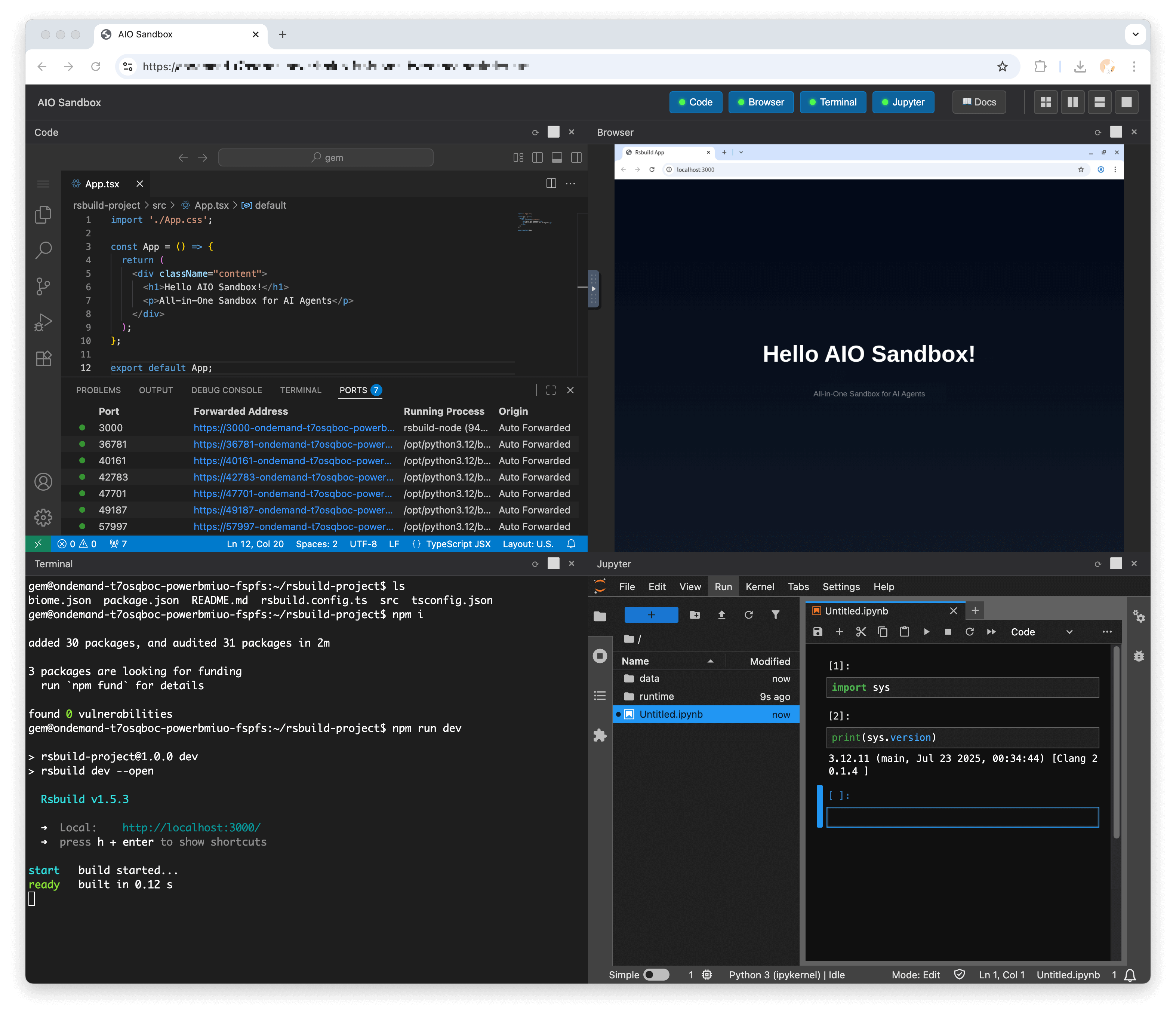

Technical Analysis: Reading the run commands, the contracts, and the tree
The flag is everywhere, and the security guide never discusses it
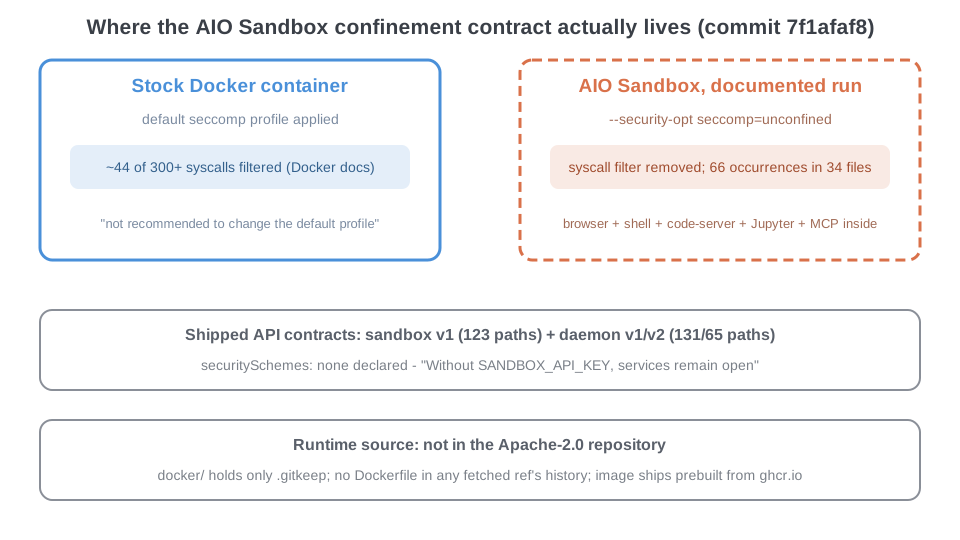
The unconfined flag is not a footnote for one edge case. At the pinned commit, the literal string seccomp=unconfined or seccomp:unconfined appears 66 times across 34 tracked files — the English and Chinese quick starts, the FAQ, the browser, proxy, git, workspace, and lifecycle guides, the cloud deployment page, and the shipped docker-compose.yaml, whose security_opt block pins seccomp:unconfined for anyone who deploys by compose. It is the documentation’s default posture rather than a literal universal: among the docker run examples in the tree, I found a handful without the flag, in the launch blog post, one integration guide, and the docs site’s one-line install strings.
The closest thing to a stated reason lives in the FAQ, under the heading “The Browser Does Not Start”: “Make sure the container has enough memory and that it is started with the recommended seccomp option,” followed by a note that restricted container runtimes may need extra flags for “Chromium sandboxing or shared-memory limits.” The docs never name the blocked syscalls; a plausible mechanism is that Chromium’s own sandboxing relies on operations the default profile filters, but the FAQ stops at “the browser does not start.”
What I could not find is any discussion of the cost. The English security guide opens by scoping the product honestly — “By default, a local AIO Sandbox is intended for trusted local development. When exposing it to a network or another service, add authentication and limit access.” — but the only occurrence of the string seccomp in that entire file sits inside the JWT example’s docker run line. Scope of that negative claim: one file, website/docs/en/guide/advanced/security.md, at commit 7f1afaf8. The document that owns security never tells you what the flag you must pass actually removes.
What the default filter would have given you
Docker’s seccomp documentation is unambiguous about the baseline being surrendered. The default profile “disables around 44 system calls out of 300+,” and the same page states that “seccomp is instrumental for running Docker containers with least privilege. It is not recommended to change the default seccomp profile.” Passing unconfined runs the container with no syscall filter at all — the workload inside can reach the kernel surface that the default profile exists to fence off.
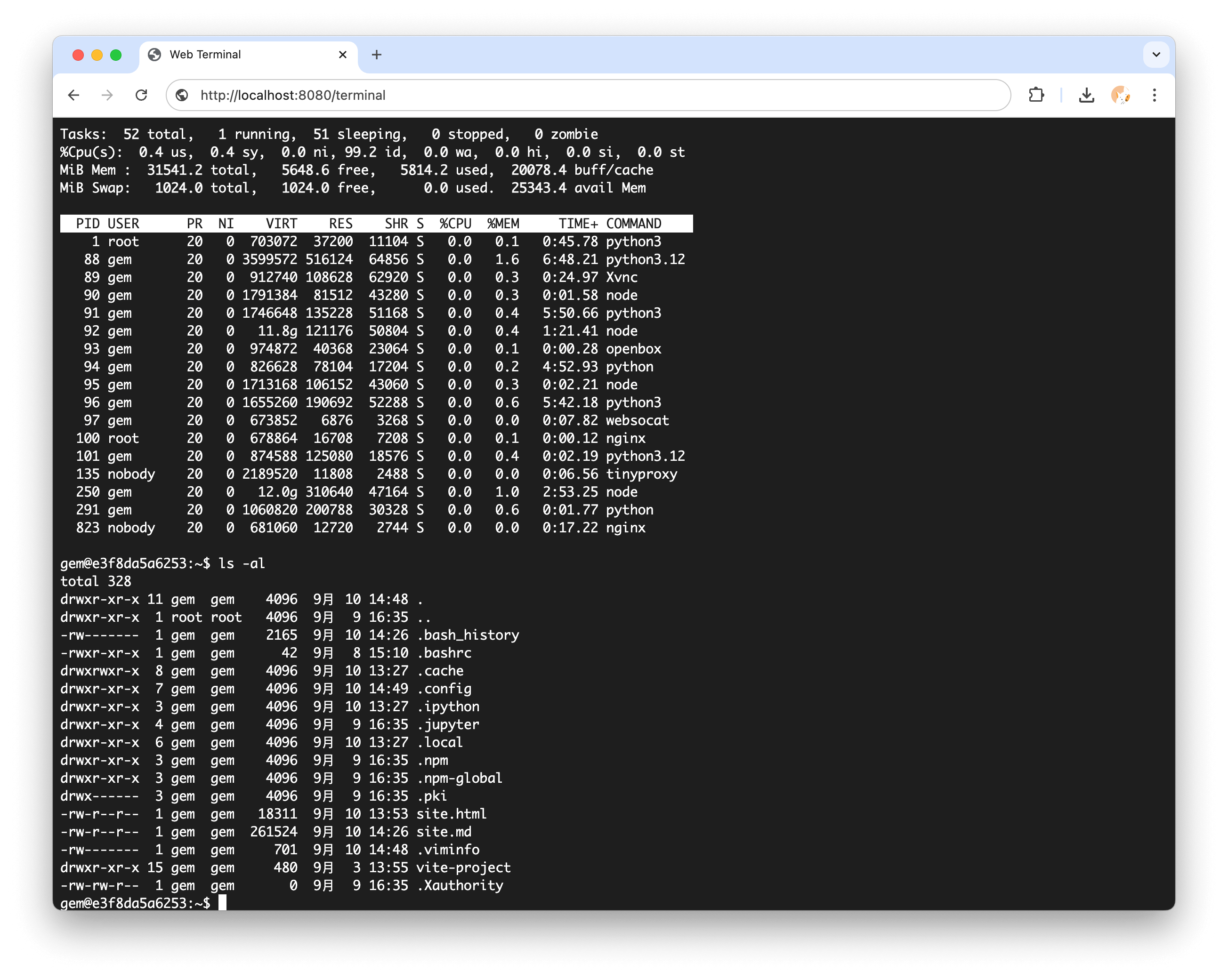
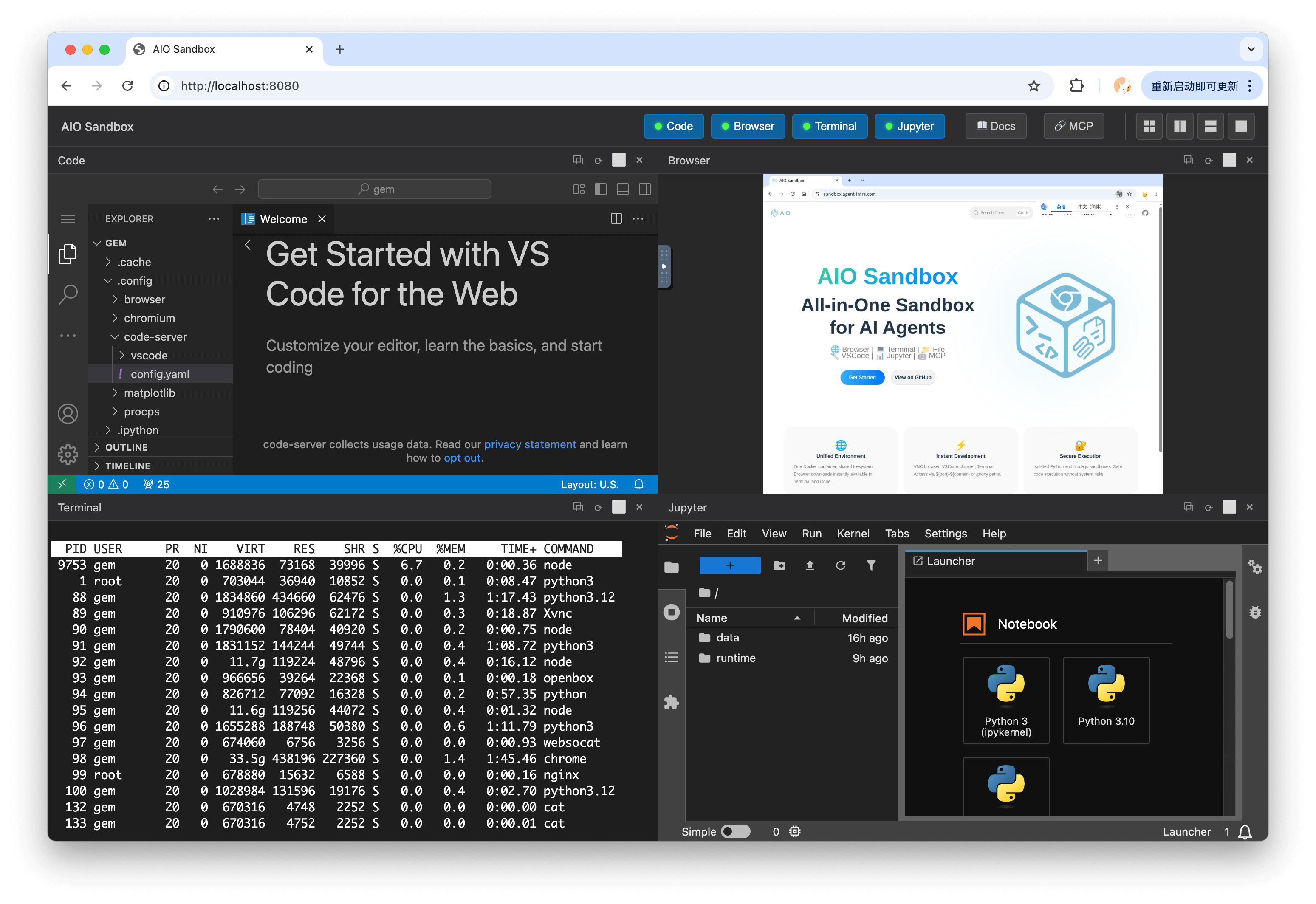
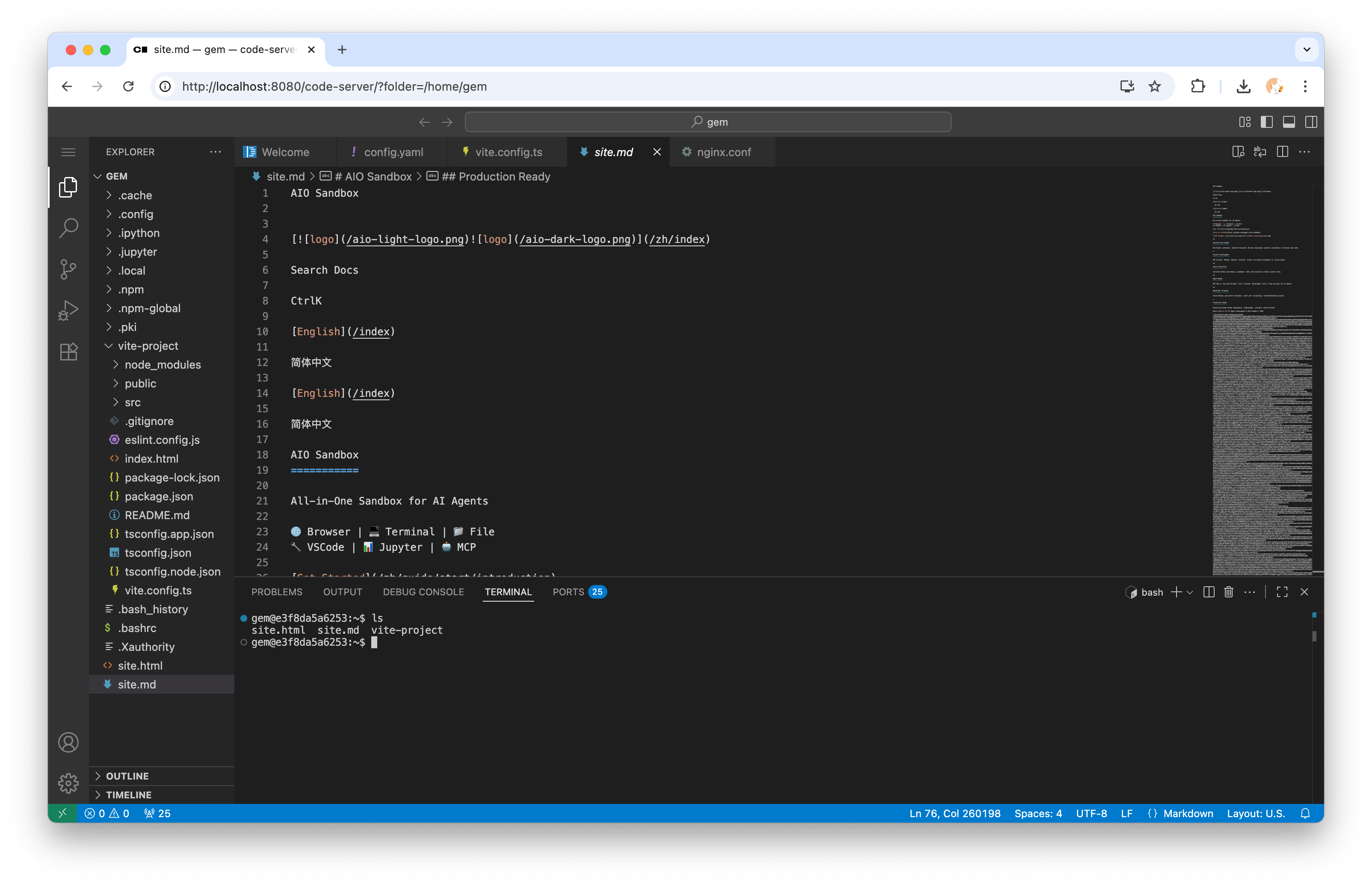
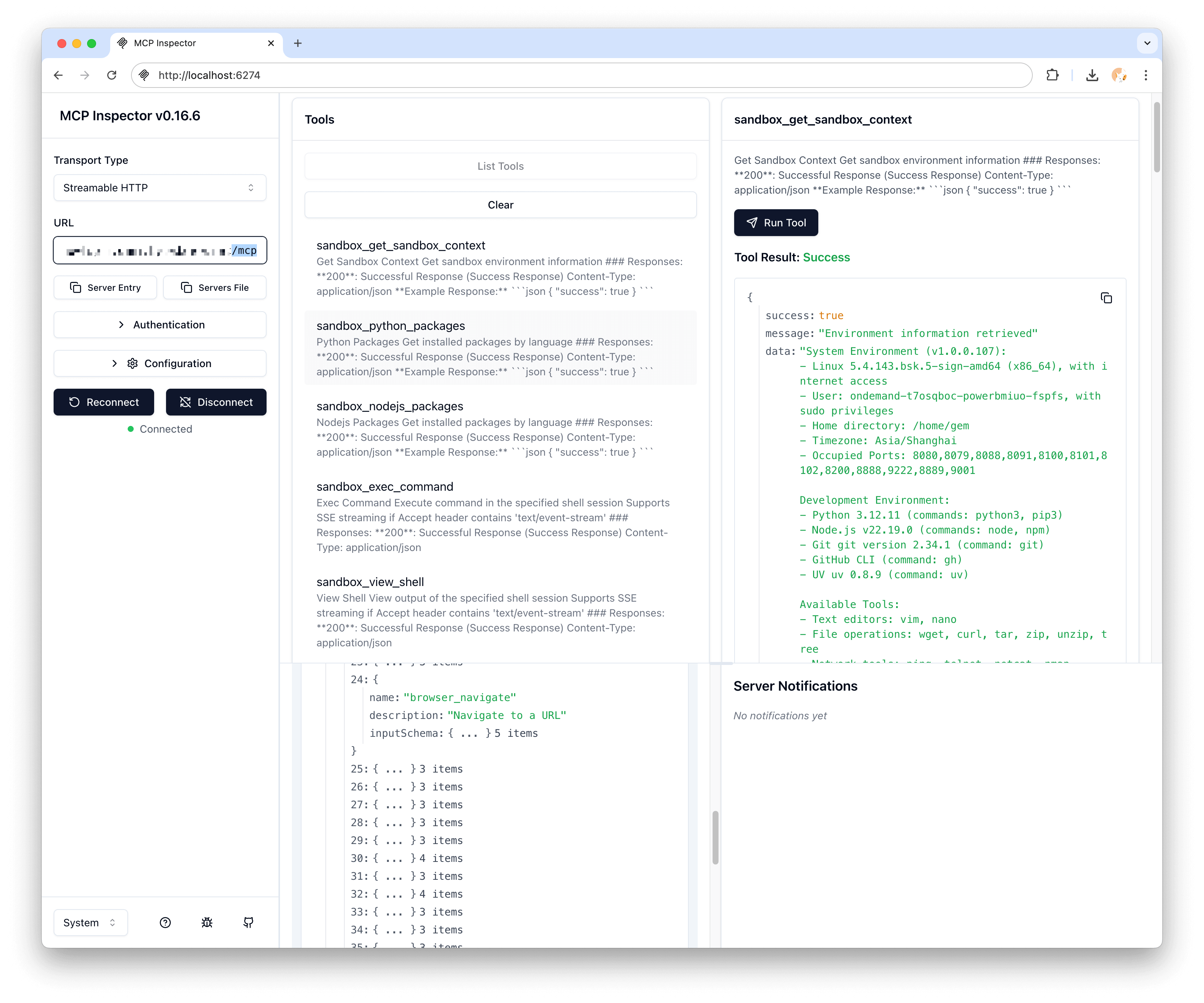
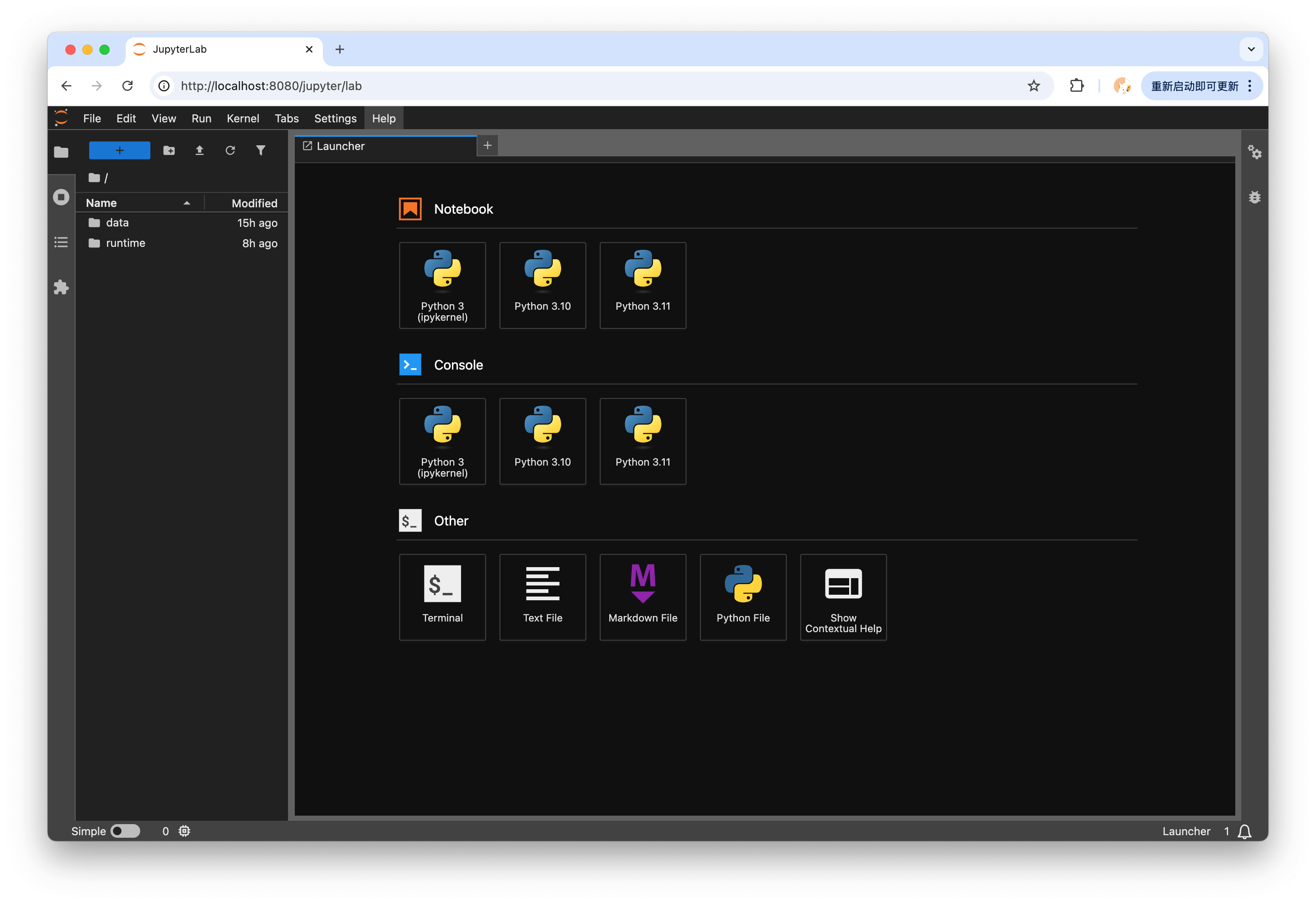
So the geometry at the pinned commit is: a browser, multiple shells, two code-execution runtimes, and an MCP hub, all sharing one container that the documented quick starts and compose file run with less syscall confinement than a stock docker run gives an ordinary application. The vendor screenshot of the in-container process table makes the density concrete: PID 1 is python3 running as root, with nginx and tinyproxy processes alongside the non-root gem user’s browser and runtimes — a user the repository’s own MCP capture describes as having sudo privileges.


Every interface is open until you set a key
The README says it plainly, in a comment inside its own quick start: “Without SANDBOX_API_KEY, services remain open (backward compatible).” API key auth is a recommendation, JWT bearer verification is an opt-in you enable by setting JWT_PUBLIC_KEY, and the default is neither. The compensating control the docs lean on is network placement: the quick-start examples “intentionally bind the host side to 127.0.0.1,” and the cloud guide instructs operators not to publish port 8080 on a public interface and to front the sandbox with TLS and access control.
That guidance is genuinely better than most projects in this space manage. But it also means the boundary is entirely positional. Anything that can reach port 8080 — a neighboring container, a same-host process, a misconfigured ingress — reaches a shell, a file API, two code-execution runtimes, and a VNC browser with no credential in the default path.

The API contracts model no authentication at all
The repository ships its API surface as three OpenAPI documents, and they are worth reading as contracts rather than docs. The sandbox contract (website/docs/public/v1/openapi.json, a FastAPI export at info.version 1.9.4) declares 123 paths, including /v1/shell/exec — “Execute command in the specified shell session” — plus /v1/bash/exec, /v1/file/read, /v1/file/write, /v1/jupyter/execute, and /v1/nodejs/execute. It contains no components.securitySchemes, no global security array, and not one per-operation security requirement. The two daemon contracts repeat the pattern: 131 paths in v1 and 65 in v2, no security schemes in either.
| Shipped contract | Paths | securitySchemes | Reachable operations include |
|---|---|---|---|
Sandbox v1 (public/v1/openapi.json) | 123 | none declared | /v1/shell/exec, /v1/bash/exec, /v1/file/read, /v1/file/write, /v1/jupyter/execute, /v1/nodejs/execute |
Daemon v1 (public/daemon/v1/openapi.json) | 131 | none declared | daemon tool surface |
Daemon v2 (public/daemon/v2/openapi.json) | 65 | none declared | daemon tool surface |
Contracts propagate. The SDKs in this repository are generated from these documents, and the published Python client’s constructor accepts base_url, headers, timeout, follow_redirects, and httpx_client — there is no API-key or token parameter. The recommended X-AIO-API-Key header can only be injected as a hand-rolled generic header. The auth the README recommends lives outside the contract the tooling is built from.

The sandbox itself is not in the repository
The last thing I went looking for was the code that enforces any of the above — the server behind those 123 paths, the process supervisor, the image build. It is not there. The docker/ directory contains only a .gitkeep, created by a commit titled “chore: mkdir docker”. A search of every fetched ref’s history for any Dockerfile path returns zero commits. The repository’s own first commit, from 2025-09-10, is titled “init: sandbox docs”. What the Apache-2.0 license in this tree covers is the documentation, the OpenAPI exports, the generated SDKs, the CLI, and the examples. The runtime arrives only as a prebuilt image from ghcr.io/agent-infra/sandbox or a mainland-China mirror registry, and the organization’s public surface offers no alternative: at retrieval, agent-infra exposed exactly two public repositories, this one and sandbox-sdk-go.
The companion daemon follows the same distribution logic. aiod is described as “static musl builds,” installed by piping install.sh from a cloud object-storage bucket into sh, and aiod start binds 0.0.0.0:18091 by default — a notably different default posture than the sandbox docs’ careful 127.0.0.1 guidance.
This matters for a specific reason: the README’s headline safety claim — “Sandboxed Python and Node.js execution with safety guarantees” — is not verifiable from anything in the tree that claim lives in. There is no code to read. An operator can verify the flag they pass, the ports they bind, and the key they set, because those are theirs; the guarantees are a binary’s.

Treat the container as the workload, not the boundary
To be fair to the project: several of its documents are more honest than the category norm. The quick start explains why it binds 127.0.0.1. The cloud guide flatly says not to expose port 8080. The security guide names its own scope — trusted local development — and ships working JWT verification. The README admits in plain text that services remain open without a key. None of the three findings here required adversarial reading; each is printed in the project’s own files.
The finding is the composition. “Unified, secure execution environment” is the pitch; the shipped reality at commit 7f1afaf8 is a container that the documented commands run without Docker’s default syscall filter, fronted by interfaces that are open until the operator sets a key, described by API contracts that model no authentication, produced by a build no one outside the vendor can read. Each leg has a reasonable engineering story. Stacked, they mean the security contract lives almost entirely on the operator’s side of the table.
If you deploy this — and the product’s coordination story is genuinely useful — the working posture that follows from the evidence is:
- Supply the isolation yourself. With seccomp unconfined, the container is not your boundary. Run the sandbox inside a VM, a gVisor/Kata-class runtime, or a dedicated host, and treat everything inside as one blast radius.
- Set
SANDBOX_API_KEYorJWT_PUBLIC_KEYon day one, because the default is open, and keep the port on127.0.0.1or behind an authenticated proxy exactly as the docs say. - Pin image tags as the README recommends, and treat the image like any other vendor binary: something you monitor and constrain, not something you audited.
- Read the OpenAPI documents before wiring agents in — they are the honest inventory of what an unauthenticated caller can do: execute shell commands, read and write files, and drive two code runtimes.
For the same who-owns-the-default question examined on a credential gateway — one whose security policy formally declares its own shipped defaults out of scope — see the OpenConnector default-custody audit.
Key Takeaways
- The documented run posture weakens the outer container. The
seccomp=unconfinedflag appears 66 times across 34 files at commit7f1afaf8, from the quick starts to the shipped compose file; Docker’s default profile would have filtered around 44 syscalls, and Docker recommends against changing it. - The stated reason is the browser; the cost is never discussed. The FAQ ties the flag to Chromium startup, and the security guide never mentions what unconfined removes.
- Open by default, key by recommendation. “Without SANDBOX_API_KEY, services remain open” is the README’s own text, and all three shipped OpenAPI contracts — 123, 131, and 65 paths — declare zero security schemes, so the generated SDKs have no auth parameter either.
- The runtime is a prebuilt image, not open code. No Dockerfile has ever existed in any fetched ref of the Apache-2.0 repository, so the “safety guarantees” of its execution surfaces cannot be verified from source.
- Positional security is real security only when you control the position. The 127.0.0.1 guidance is sound; everything reachable past it is a shell.
New Questions
- When
SANDBOX_API_KEYis set, is it enforced uniformly across every co-hosted surface — API, VNC, code-server, Jupyter, terminal, and MCP — or only at the gateway? Only a live-container test can answer this; the contracts are silent. - Could the docker run surfaces adopt a tailored seccomp profile instead of dropping the filter entirely? The Kubernetes guide already gestures at this for its own surface — it offers “a
Localhostprofile installed on the node, orUnconfined” for the Chromium container — but every docker run and compose surface documents only unconfined. - Will the runtime source ever land in the repository whose license and star count currently represent it? The empty
docker/directory, created deliberately, reads like a placeholder for exactly that question. For a related pattern — a strong guarantee whose enforcement paths turn out to be unreachable from the shipped artifact — see the MetaHarness witness reachability audit.
References
Editorial method: claims in this article point to primary documentation, pinned source code, runnable checks, or dated measurements, with AI-assisted research under the site's evidence-gated policy. How this site verifies claims and discloses AI assistance · Report a correction.
Working on something like this?
I take a small number of paid, scoped reviews: AI agent/RAG architecture diagnosis, Unity CI & build-automation audits, and multimodal QA design review. Each one ends in a written findings document.
Work with me